

Resources
Articles

Our Pro Tip: Designing on Webflow - What Not to Do and How to Do It Right

Webflow
Daz
12 Feb 2025
2
min read
Our Pro Tip: Designing on Webflow - What Not to Do and How to Do It Right hero image

Creating a website can be a daunting task, especially if you're new to web design. There are numerous design elements to consider, such as layout, typography, and color schemes. Webflow has become a popular platform for web designers to create responsive and dynamic websites without coding. However, not everyone is familiar with the best practices and common pitfalls when designing on Webflow. In this article, we'll cover what not to do when designing on Webflow and how to do it right.
Not to do list

Not paying attention to responsiveness

  • Responsive design ensures that a website is optimized for different screen sizes and devices
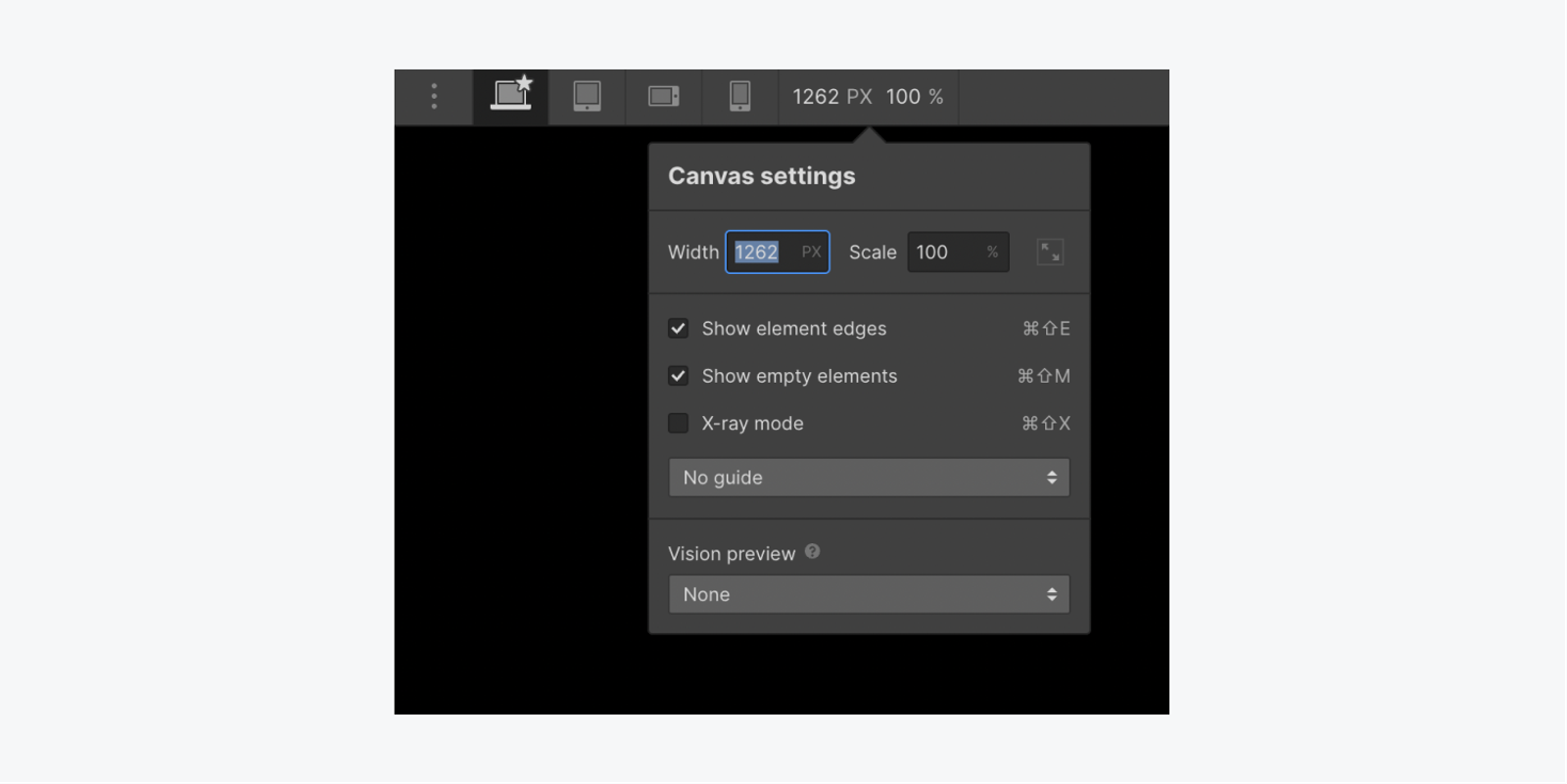
  • Tips for designing responsive websites on Webflow include using breakpoints and testing on different devices.
  • Override cascading styles for a specific breakpoint by changing values on that breakpoint. Breakpoints inherit styles from desktop (base) by default. You can override desktop styles, such as changing body background color on tablet breakpoint. Styles applied on tablet breakpoint cascade down to smaller breakpoints (mobile landscape and portrait) but not larger breakpoints (1280px and above).

Don't Overcomplicate Navigation

  • Navigation is a crucial element of any website, and it should be easy to use and understand. Avoid overcomplicating navigation by using too many links or confusing menus.

Ignoring web accessibility

  • Web accessibility refers to designing websites that are usable by people with disabilities.
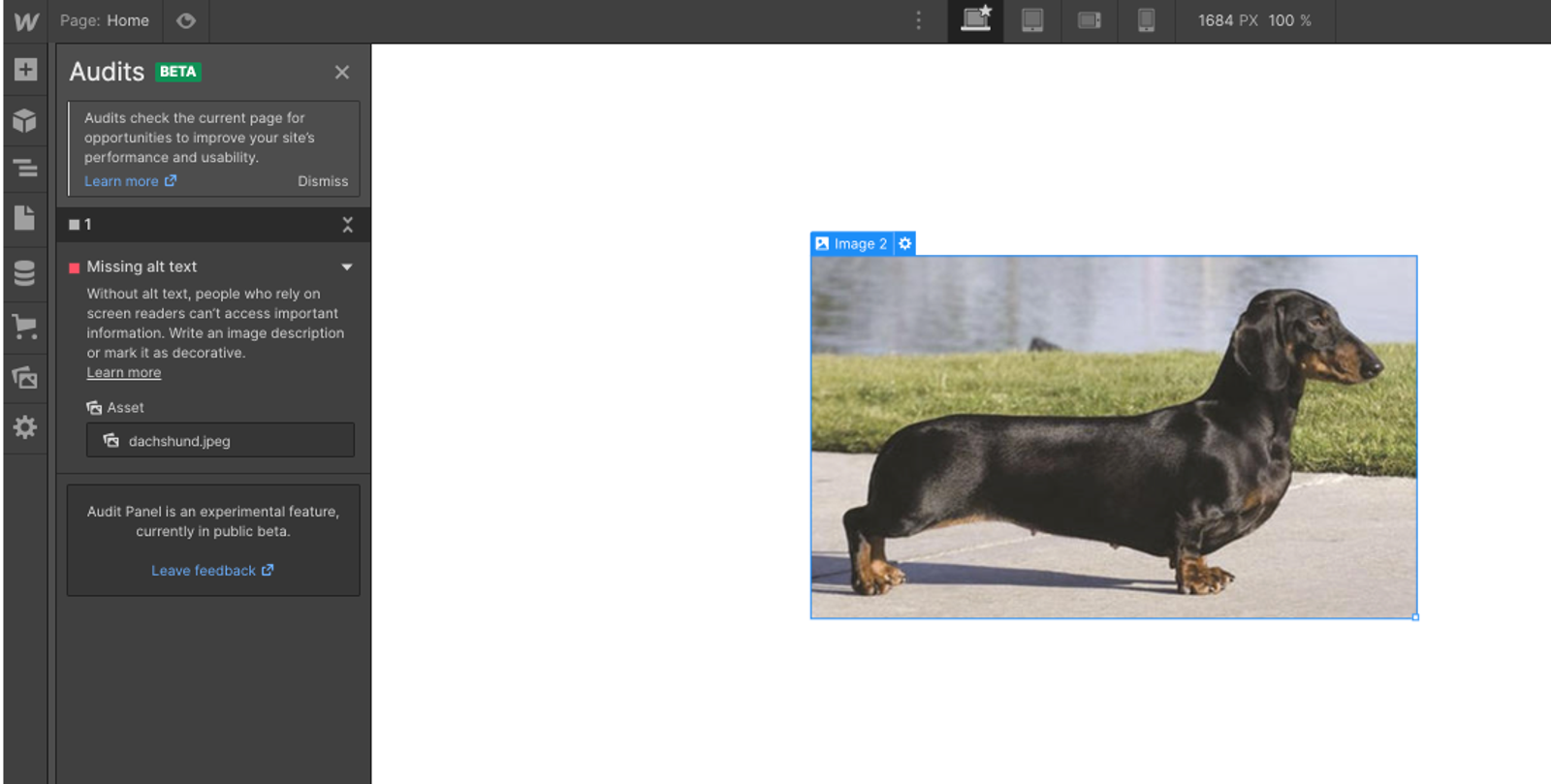
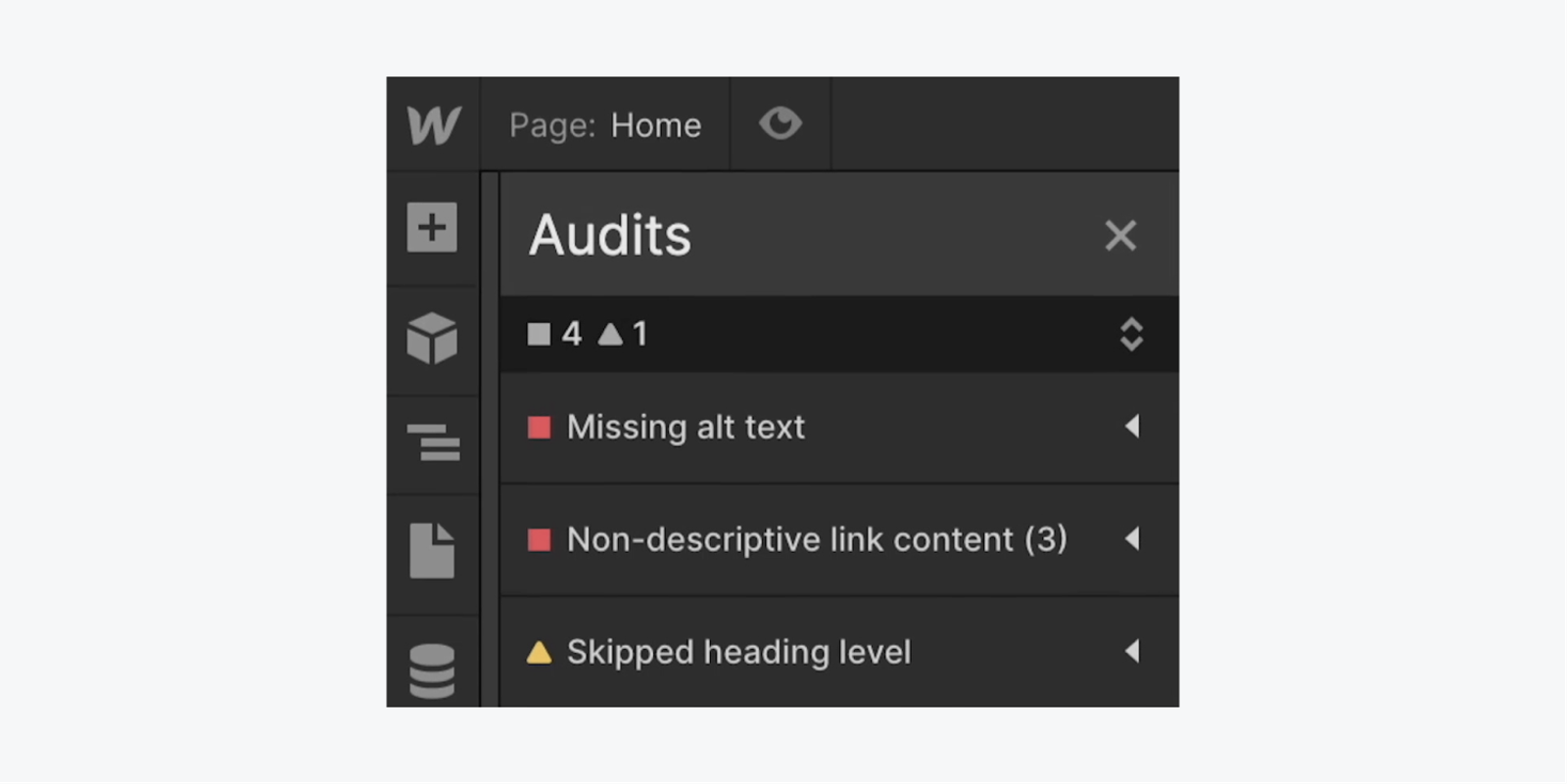
  • Tips for designing accessible websites on Webflow include using proper alt text for images and ensuring that the website can be navigated using a keyboard.
Press Alt/Option + U on your keyboard to quickly expand or collapse all items in the Audit panel.

Forgetting about website speed

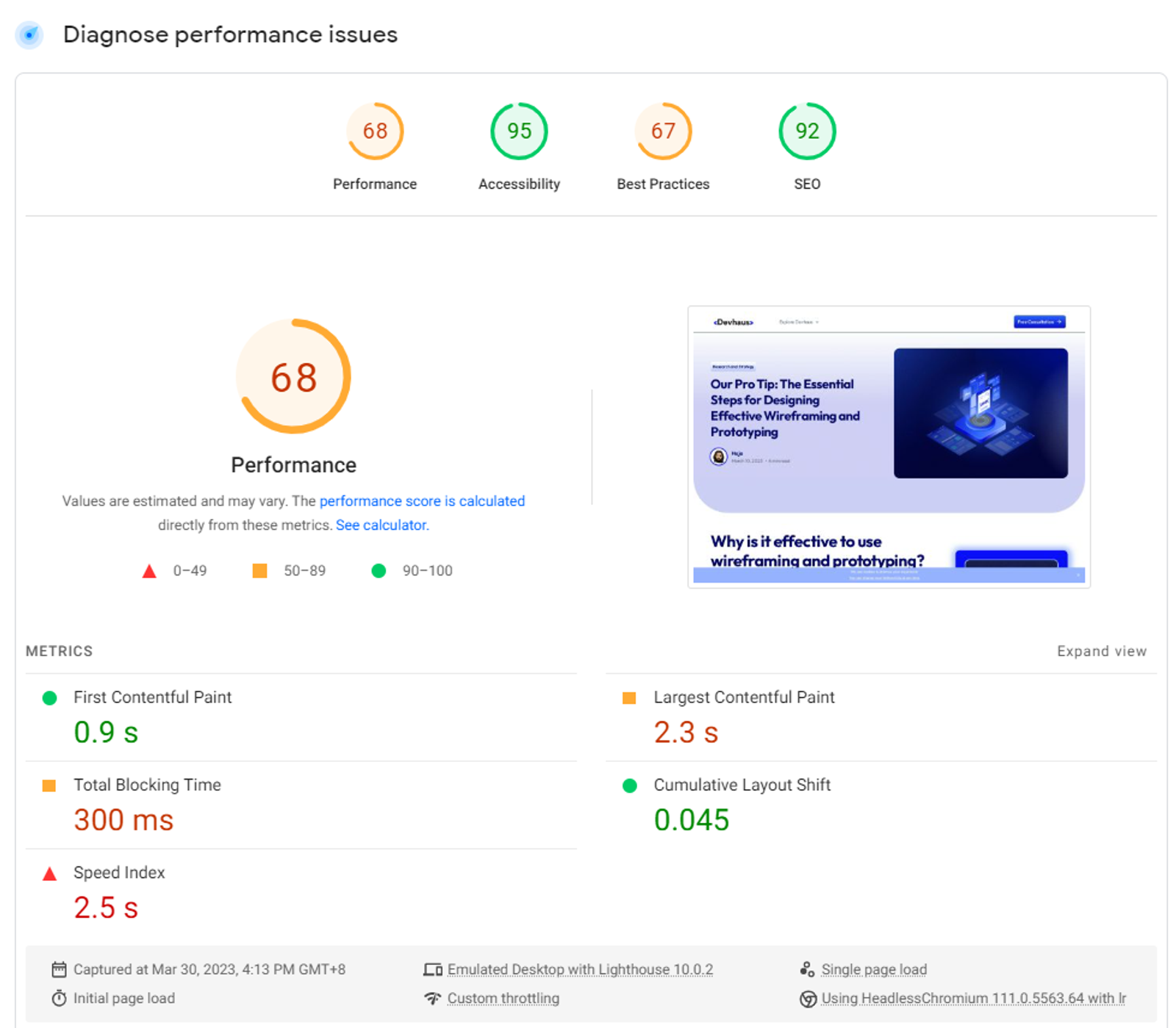
  • A slow website can negatively impact user experience and SEO.
  • Tips for optimizing website speed on Webflow include compressing images and and video files to reduce file size and improve loading times. Consider using a content delivery network (CDN) to speed up the delivery of your website's content to users.

Neglecting SEO

  • SEO (Search Engine Optimization) refers to designing a website in a way that makes it more likely to appear in search engine results.
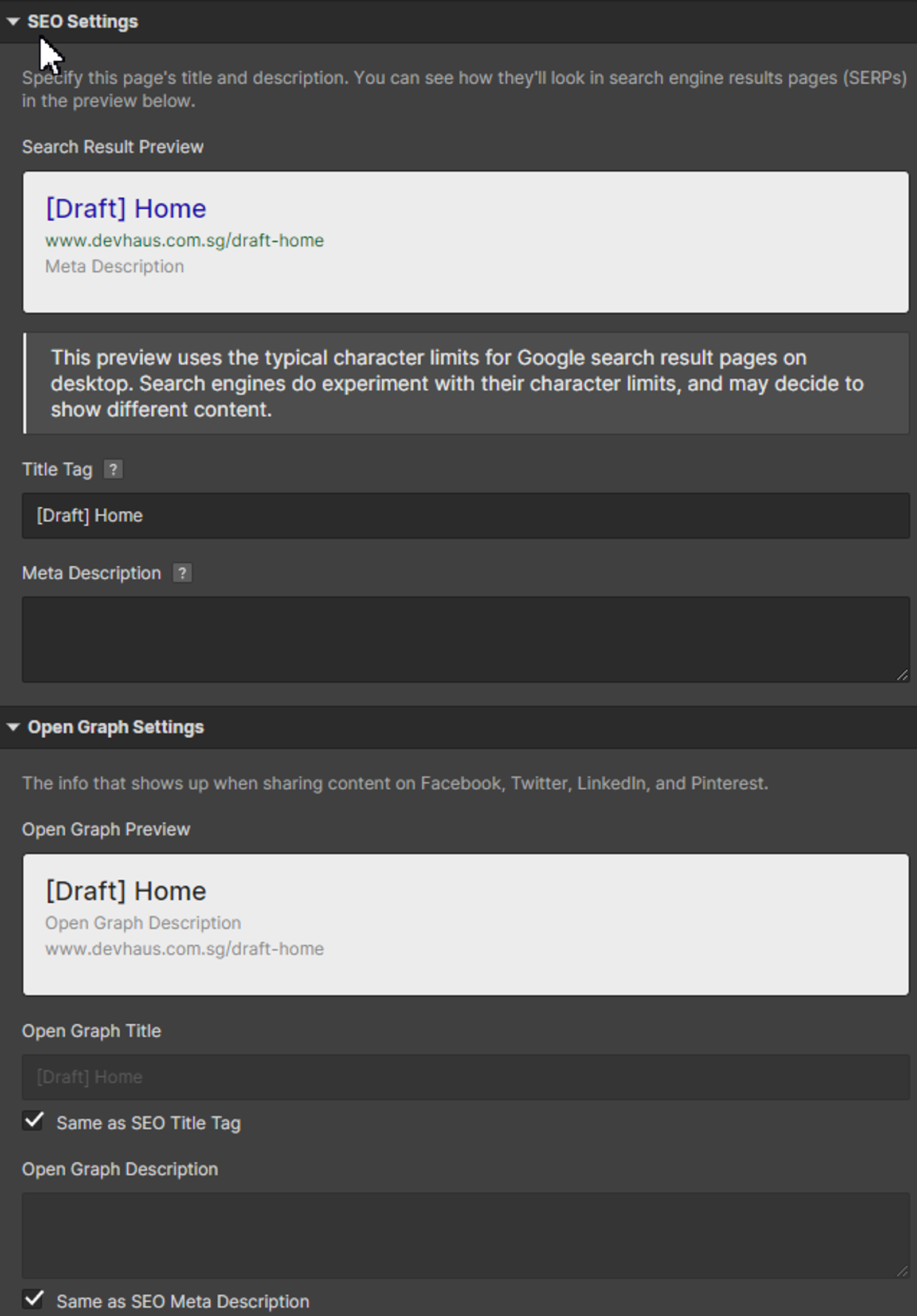
  • Tips for designing SEO-friendly websites on Webflow include using descriptive URLs and meta tags, and optimizing website content for keywords.
Optimize your SEO in the page setting

How to do It right

Pay attention to your target audience

  • Understanding your target audience is important in order to design a website that meets their needs and expectations.
  • Tips for designing websites that meet the needs of your target audience include conducting user research and creating user personas.

Focus on user experience

  • User experience refers to the overall experience a user has when interacting with a website.
  • Tips for designing websites with a good user experience include creating clear navigation, using white space effectively, and designing for readability.

Keep it simple and clean

  • A simple and clean design can make a website more visually appealing and easier to use.
  • Tips for designing clean and minimalistic websites on Webflow include using a limited color palette and avoiding cluttered layouts.

Use high-quality images and graphics

  • High-quality visuals can enhance the visual appeal and user experience of a website.
  • Tips for using images and graphics effectively on Webflow include optimizing image sizes and choosing images that are relevant to the content.

Conclusion

In conclusion, designing on Webflow requires attention to detail and consideration of best practices. By avoiding common pitfalls and following our tips for doing it right, you can create stunning and functional websites that meet the needs of your target audience.

WHO CAN APPLY GRANTS

Check if your business qualifies

Enterprise Singapore sets the rules and can change them. In general, you need all three of these before your project is assessed.

Registered in Singapore

Registered in Singapore

The grant is run by Enterprise Singapore for companies registered and operating here.

Able to pay for the project

Able to pay for the project

You need to have sufficient funds available to pay for the entire project upfront.

A clear project

A clear project

You need a defined project with real deliverables, dates, and outcomes.

Start the planner
Admiral Systems team memberAdmiral Systems team memberAdmiral Systems team memberAdmiral Systems team memberAdmiral Systems team memberAdmiral Systems team member
Admiral Systems team memberAdmiral Systems team memberAdmiral Systems team memberAdmiral Systems team memberAdmiral Systems team memberAdmiral Systems team memberAdmiral Systems team member

Keen to collaborate with us

We can't wait to hear all about your game-changing ideas. Spill the tea!