Martech
Growth Operations
Expand
Optimize performance and reduce technical debt. Ideal for efficiency and fine-tuning.

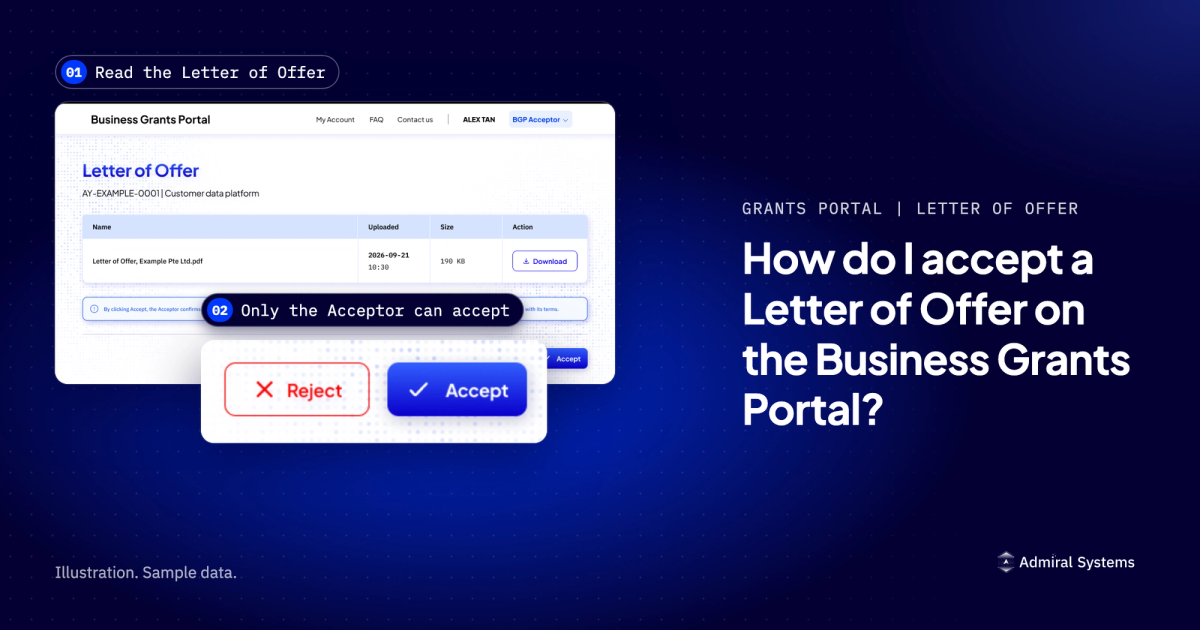
Only your company's Acceptor (the Corppass role for a managing director, chief executive or equivalent) can accept a Letter of Offer. On the Business Grants Portal, they open the approved grant under 'Updates required', read the letter, then click 'Accept'.
Only your company's Acceptor (the Corppass role for a managing director, chief executive or equivalent) can accept a Letter of Offer. On the Business Grants Portal, they open the approved grant under 'Updates required', read the letter, then click 'Accept'.
Last reviewed: 12 October 2026. Official sources: the Business Grants Portal (BGP) 2.0 FAQ on gowhere.gov.sg, the GoBusiness Business Grants Portal FAQ, and Enterprise Singapore's grant pages.
This page covers who can accept a Letter of Offer, the steps on each of the portal's two log-ins, what accepting commits your company to, and what to do if your chief executive officer (CEO) or managing director (MD) has changed. For the application itself, see our guide to applying on the Business Grants Portal.
Enterprise Singapore's Enterprise Development Grant (EDG), Market Readiness Assistance (MRA) grant and Productivity Solutions Grant (PSG) closed to new applications on 29 September 2026, and its EDGE Grant opened on 30 September 2026 (EDGE Grant page, as of October 2026). Submissions made before the closure "will continue to be processed", the EDGE Grant page said as of October 2026. So an offer under one of those schemes can still arrive, and this page quotes their rules.
A Letter of Offer is the document that sets out the terms of an approved grant. Only your company's Acceptor in Corppass can accept it. Corppass is the login your company uses for government digital services. Viewers and Preparers are not authorised to accept the Letter of Offer (BGP 2.0 FAQ).
The official role description says the Acceptor "must have authority to accept the terms and conditions of the Letter of Offer on behalf of the company". It adds that the role "should be assigned to the company's Managing Director, Chief Executive Officer or equivalent".
So acceptance is your company's own act.
How your Corppass Admin assigns the Acceptor role is covered in our article on giving staff access to the Business Grants Portal.
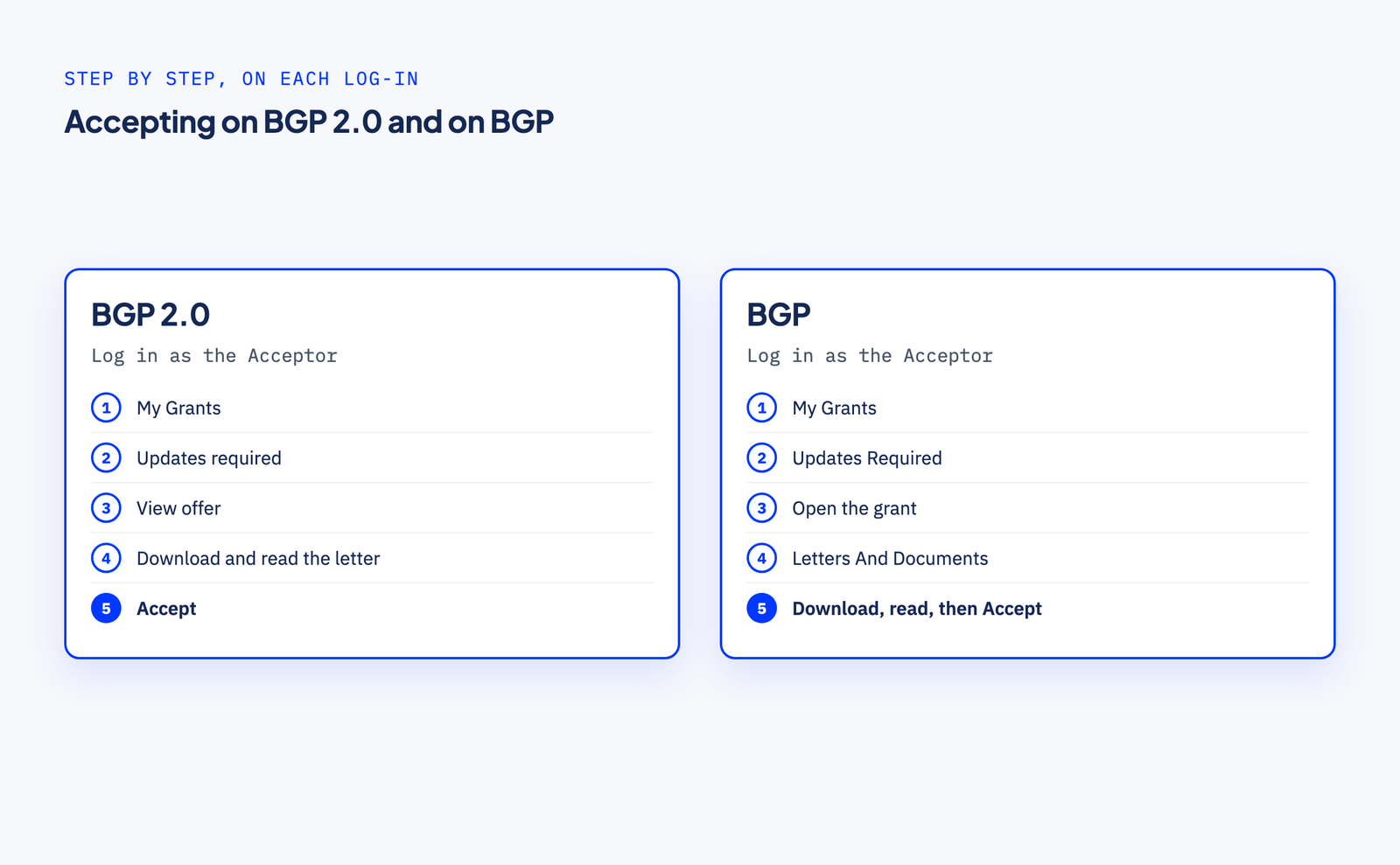
These steps come from the BGP 2.0 FAQ, as of October 2026. The EDGE Grant page, its FAQ and the EDGE activity pages we read did not name the Letter of Offer screens.
These steps come from the GoBusiness Business Grants Portal FAQ, as of October 2026.
Screen names can change. If your screen differs, follow the current FAQ: the BGP 2.0 FAQ for the BGP 2.0 log-in, and the GoBusiness FAQ for the BGP log-in. The steps that come before the offer are in our guide to applying on the Business Grants Portal.
When you click 'Accept', you accept "the terms and award of the grant". No official page we read publishes the full terms, so read your own letter in full before you accept.
This section summarises the official pages, scheme by scheme. It is not legal advice.
The project qualifying period is the period your letter sets for the project.
We found no rule on recovering payments that applies to every grant on the portal.
For the EDGE Grant, the EDGE Grant FAQ says, as of October 2026: "Change requests are only allowed for changes to project end date and claim due date." It adds: "Should businesses wish to make any other changes to the project, they should terminate the existing project and submit a new application."
This is our reading of the pages above, not an official statement.
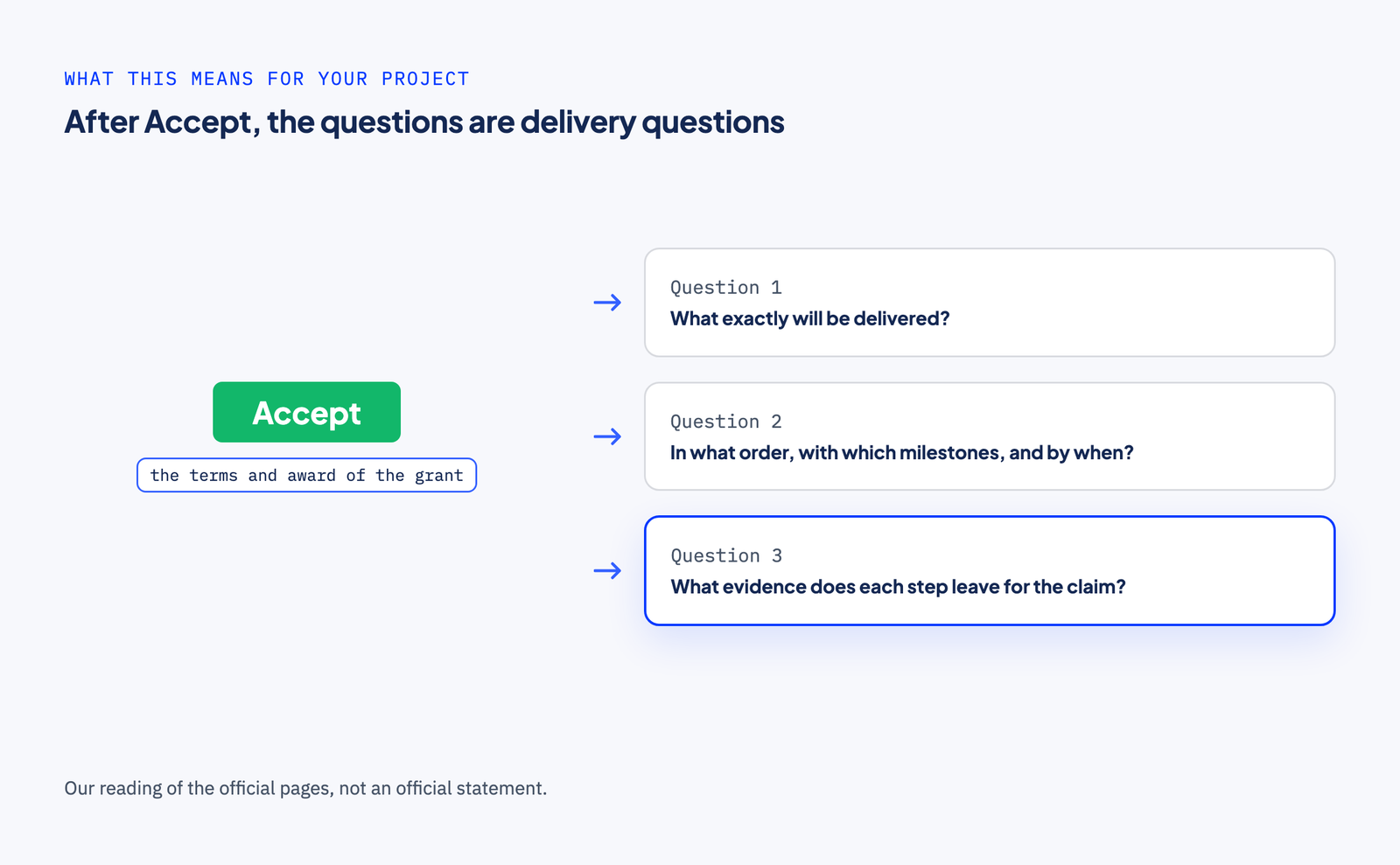
Accepting commits your company to a project, not only to a grant. The letter sets out the project period and, for the schemes we checked, the deliverables and qualifying costs. Changes go through the agency's change request or termination rules, which differed by scheme. MRA allowed changes to the project dates, the claim due date and project costs, "including change in consultant/vendor", by change request (MRA page, MRA FAQ, as of October 2026). PSG allowed no vendor or package change after approval (PSG FAQ, as of October 2026). The EDGE Grant FAQ says change requests are only allowed for the project end date and claim due date (EDGE Grant FAQ, as of October 2026). Then, at claim, come the evidence and, for the schemes we checked, the audit.
So the questions after 'Accept' are delivery questions:
You may fairly ask why you would pay anyone to help with this. For the acceptance itself, you should not. It has to happen inside your company: only your Acceptor can accept, and under MRA, all submissions in the portal had to be made by the company "through its authorised employees/staff" (MRA FAQ, as of October 2026). The EDGE activity pages we read say: "Third-party companies are not permitted to apply for or manage the grant on behalf of the applicant company." (one EDGE activity page, as of October 2026). A simple project with one vendor can be planned in-house too.
Outside help earns its place when the project spans several systems or vendors and your team cannot yet answer those three questions. One more point, and it is ours: under PSG, a vendor change meant terminating and reapplying before payment, so it paid to find a scope problem before money moved.
Accepting commits your company to a project. The Grant Project Planner turns a few short answers into a draft project brief in about three minutes. It is free, with no documents or login.
Your company's Corppass Admin assigns the new CEO or MD the Business Grants Portal Acceptor role, so that they can accept the Letter of Offer (BGP 2.0 FAQ). The role is assigned in Corppass, not in the portal.
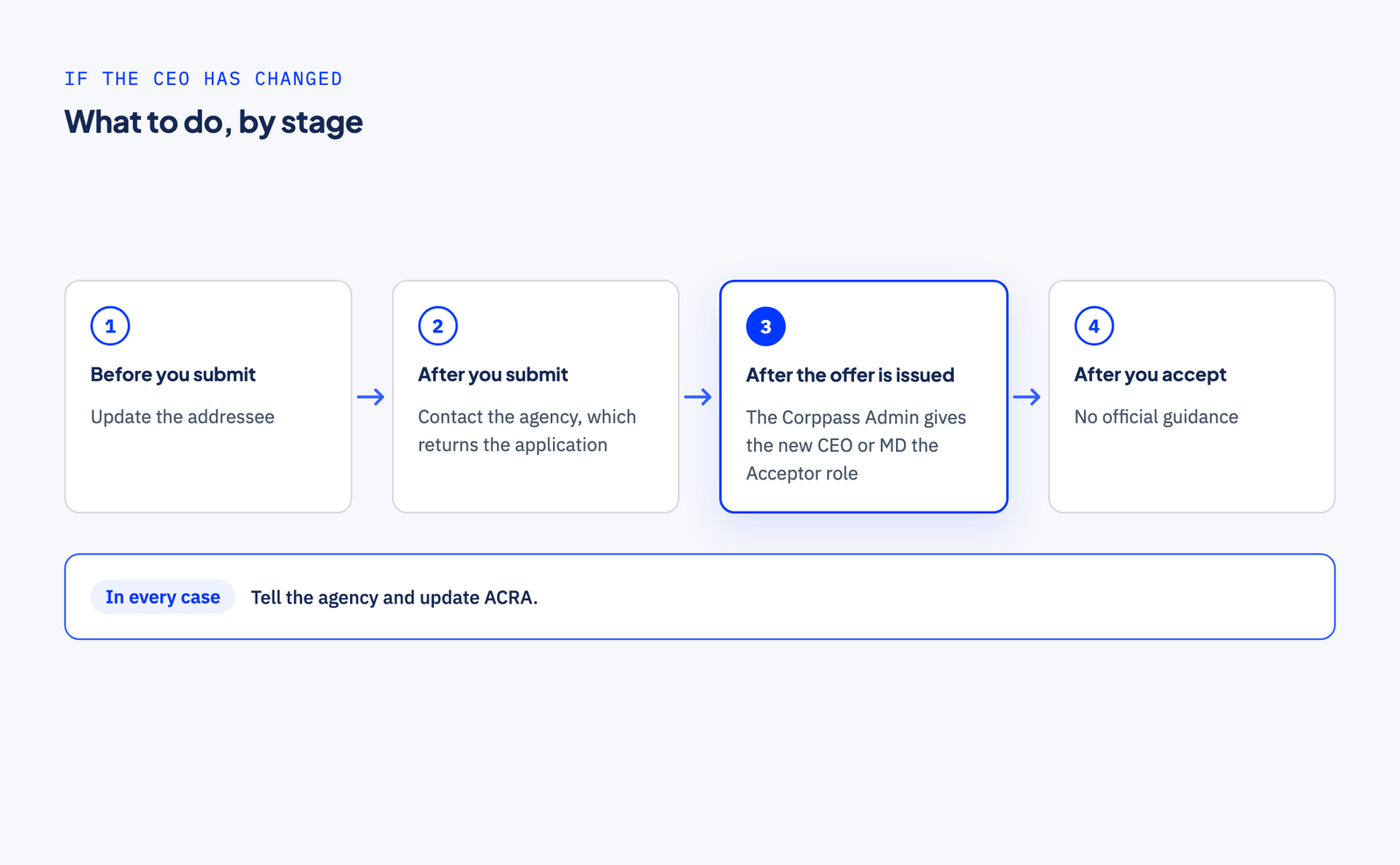
In every case, tell the grant processing agency and the Accounting and Corporate Regulatory Authority (ACRA). The BGP 2.0 FAQ says: "Do remember to update the grant processing agency and ACRA of the change in management." To find the agency's contact details, start from the BGP 2.0 FAQ.
Your letter sets out the project period and, for the schemes we checked, the deliverables. Delivering against it is a sequencing question: what happens first, what each step produces, and what you will need to show when you claim.
Plan it free first. Our Grant Project Planner asks a few short questions about your business and the bottleneck you want to fix, then gives you a draft project brief on screen in about three minutes. No documents, no login.
Want us alongside you? If the project spans several systems or vendors, or you would rather not run the project alone, tell us about it and check if we're a fit. We look up your company before we reply, and we reply within one working day, Singapore time. If you know something is wrong, but not yet what to fix, a Blueprint is a paid diagnosis that ends with a costed plan.
Grant outcomes are decided only by the agency that runs the grant.
Admiral Systems is not associated with any government agency, and this page is our understanding of the official guidance, not professional advice. For the official answer, read the Business Grants Portal FAQ.
Find the right engagement fit for your current need(s)
Go to Market
Consulting
Validate ideas with market research, strategic planning and prototyping. Ideal for exploring new concepts.
Martech
Implementation
Launch Low-code MVP or Custom Interactive websites with user-focused design. Perfect for quick market entry.
Growth & Marketing
Campaign Experimentation
Boost growth with scalable systems and marketing automation. Suited for advanced analytics and more.
For teams with a bigger appetite for growth
Martech
Transformation
Transform with system modernization and integration. Best for comprehensive digital change.
Martech
Growth Operations
Optimize performance and reduce technical debt. Ideal for efficiency and fine-tuning.

Enterprise Singapore sets the rules and can change them. In general, you need all three of these before your project is assessed.

The grant is run by Enterprise Singapore for companies registered and operating here.

You need to have sufficient funds available to pay for the entire project upfront.

You need a defined project with real deliverables, dates, and outcomes.














We can't wait to hear all about your game-changing ideas. Spill the tea!

Be the first to know on further updates on Growth contents for your organisation, don't miss out on our sneak peaks and exclusive community contents!