Martech
Growth Operations
Expand
Optimize performance and reduce technical debt. Ideal for efficiency and fine-tuning.

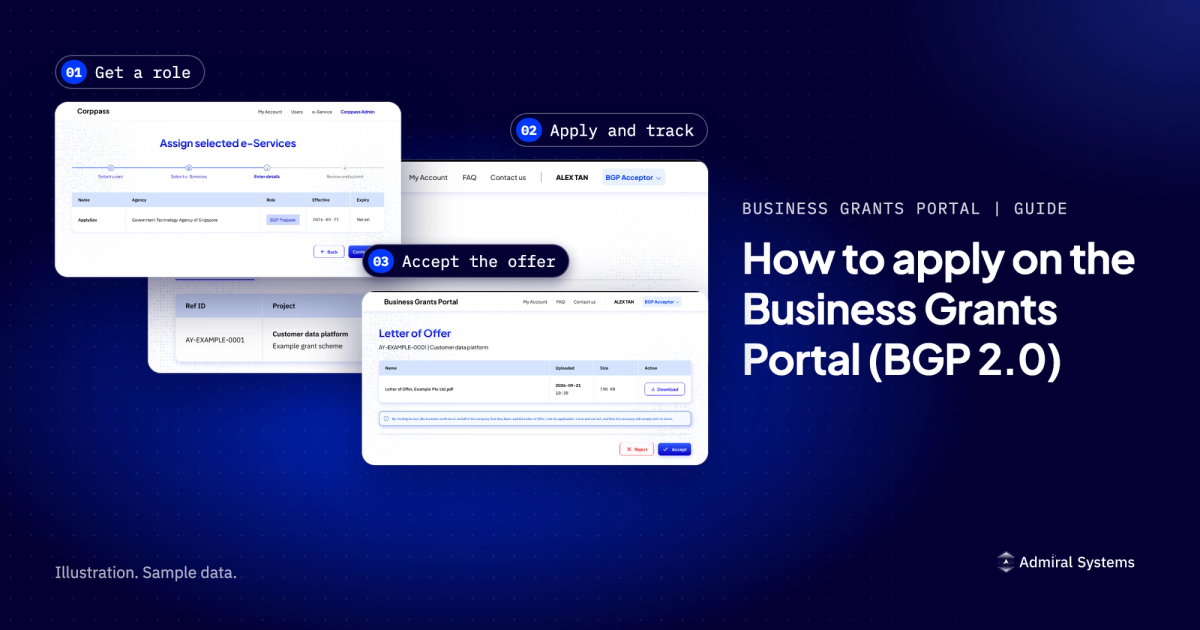
To apply on the Business Grants Portal, your company's Corppass administrator first gives you a role under the ApplyGov e-Service. You then log in with Corppass, fill in the application, and track it from the My grants dashboard. Only the company's Acceptor can accept a Letter of Offer.
To apply on the Business Grants Portal, your company's Corppass administrator first gives you a role under the ApplyGov e-Service. You then log in with Corppass, fill in the application, and track it from the My grants dashboard. Only the company's Acceptor can accept a Letter of Offer.
Last reviewed: 12 October 2026. Official source: the BGP 2.0 FAQ.
This guide shows the BGP 2.0 log-in. The portal asks you to choose "BGP" or "BGP 2.0", and each log-in lists a set of grants, so check which log-in lists yours. As of 12 October 2026, the Business Grants Portal page at apply.gov.sg listed the EDGE Grant under the BGP 2.0 log-in. On that date, the same page listed other grants under the BGP log-in, including three that had closed to new applications: the Enterprise Development Grant (EDG), the Market Readiness Assistance (MRA) grant and the Productivity Solutions Grant (PSG). Some screens differ on the BGP log-in, for example where the Letter of Offer sits (Step 5).
You need a Corppass account to use the portal. If your company has no Corppass administrator yet, appoint one first through Corppass.
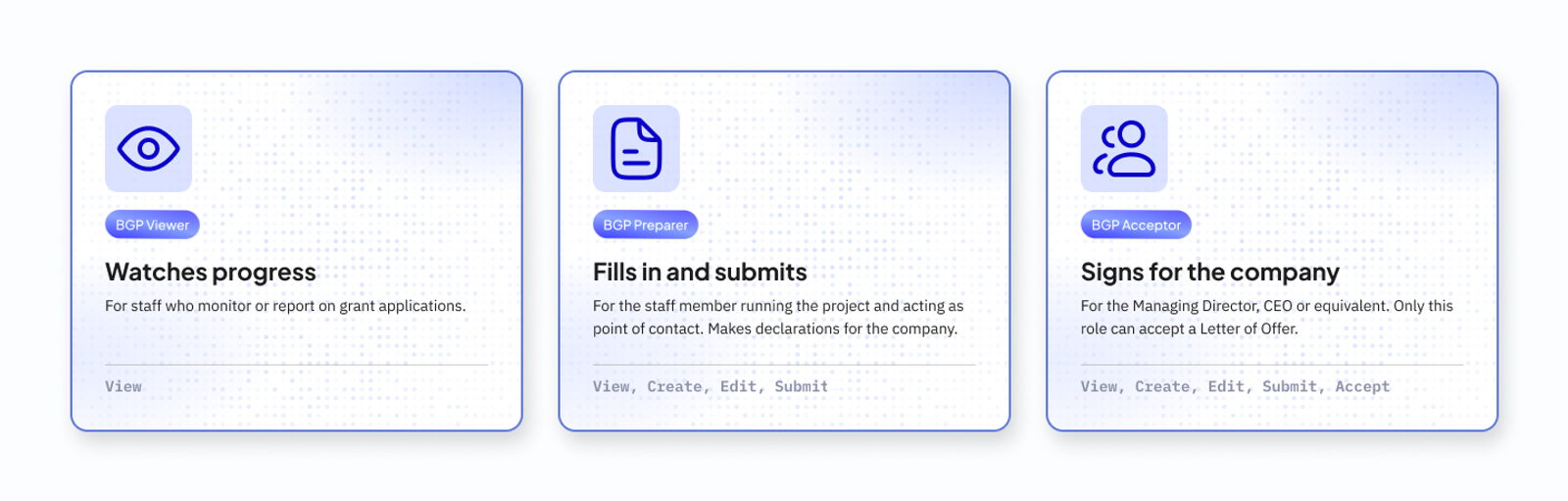
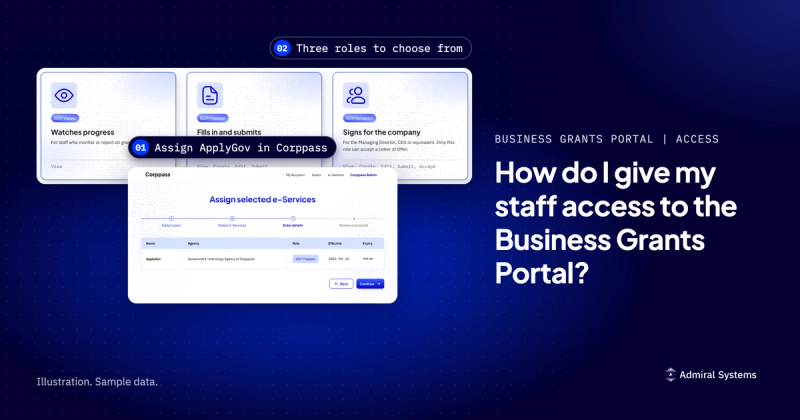
Your administrator gives you one of three roles. Pick each role by what the person will do. For the Acceptor, that means someone with authority to accept the Letter of Offer for the company.
Good to know: the BGP 2.0 FAQ says that since 4 November 2024 the Corppass e-Service for the portal is called ApplyGov instead of BGP. Existing roles still work, and the same roles open both BGP and BGP 2.0.
Our guide to Corppass roles for the Business Grants Portal covers who gets which role.
The staff member can now log in to the portal through Corppass with that role. A company registered outside Singapore registers a Corppass administrator account first.
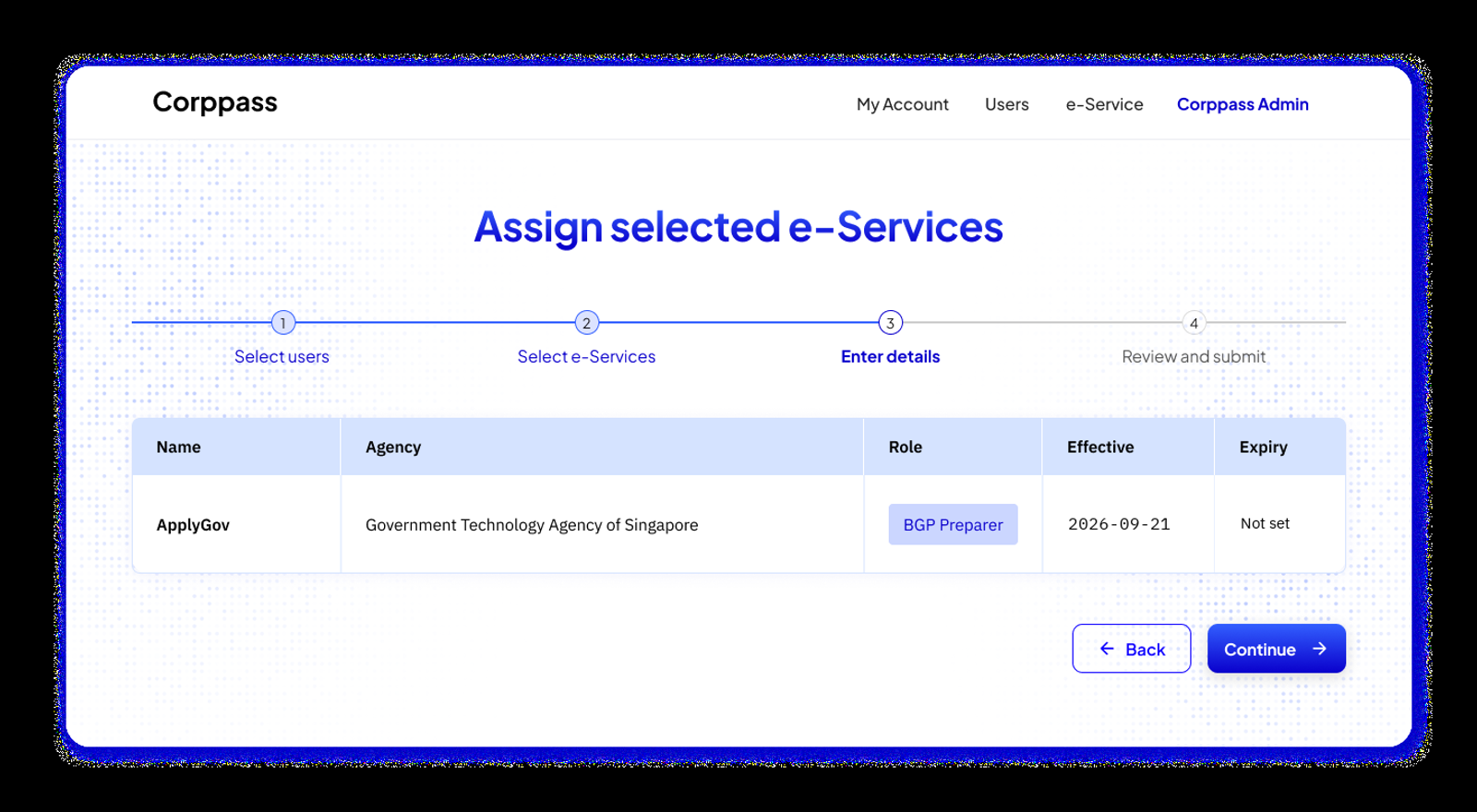
If ApplyGov does not appear in step 4, the administrator adds it to the company first. Go to e-Services, then Select Entity e-Services, search for "ApplyGov", tick "GOVERNMENT TECHNOLOGY AGENCY OF SINGAPORE - ApplyGov", then press Next and Submit. If there is no box to tick, skip that step and go on to assign the role.
Our guide to giving staff access in Corppass has the full steps and the common errors.
Go to the Business Grants Portal page at apply.gov.sg, choose the BGP 2.0 log-in and log in with Corppass.
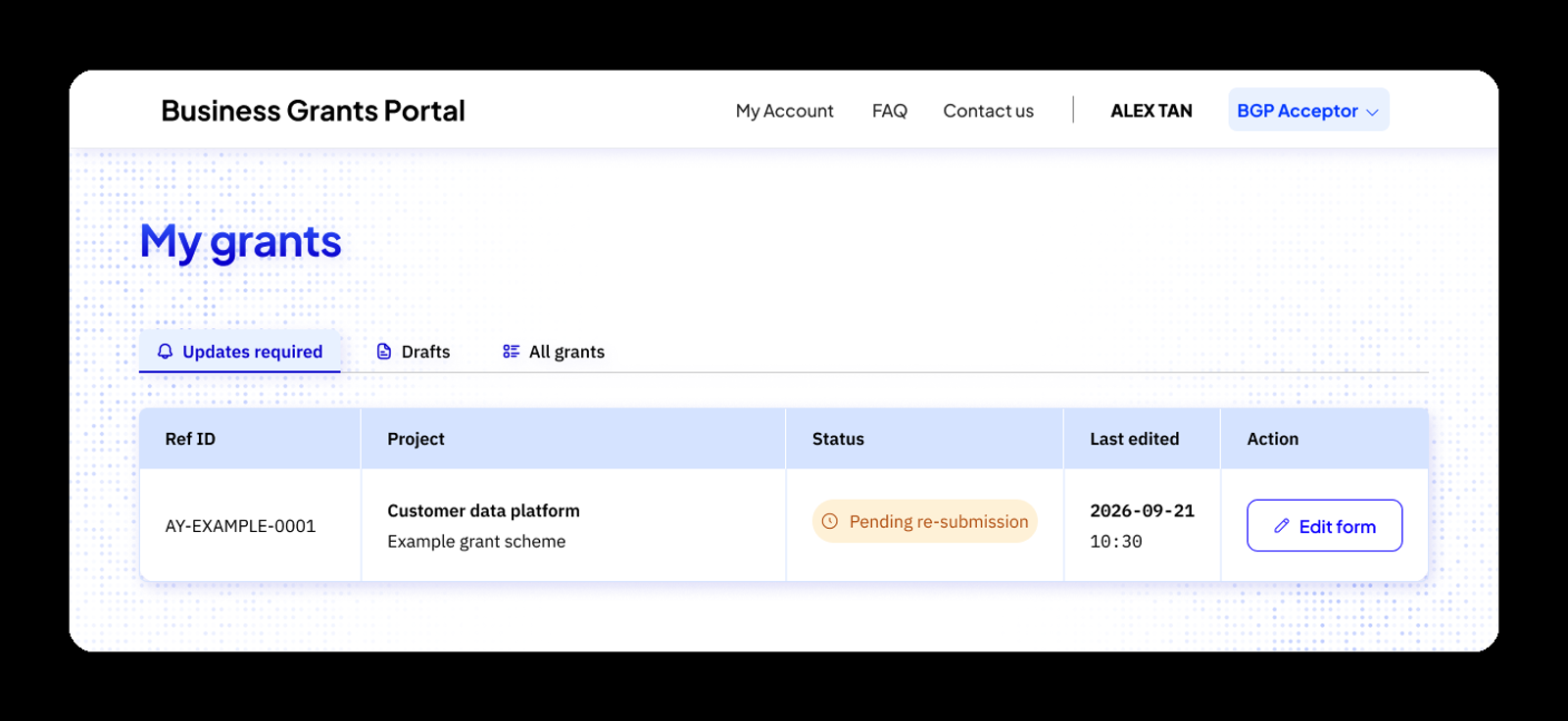
The illustration shows three of the four tabs. After you log in, the My grants page has four tabs:
Your role appears next to your name at the top right of the page. Check it before you start, because a Viewer cannot create or submit forms.
If an agency has invited you to apply for a scheme, you get an email with a link. Log in and accept the invitation within 90 days, or it expires. You can reject an invitation, but you cannot open it again once rejected.
After you accept, your draft appears in the Drafts tab. If the link shows an "Invalid page" message, the invitation may have been removed or may have expired, so contact the agency named in the email.
Only a Preparer or an Acceptor can submit an application (see Step 1).
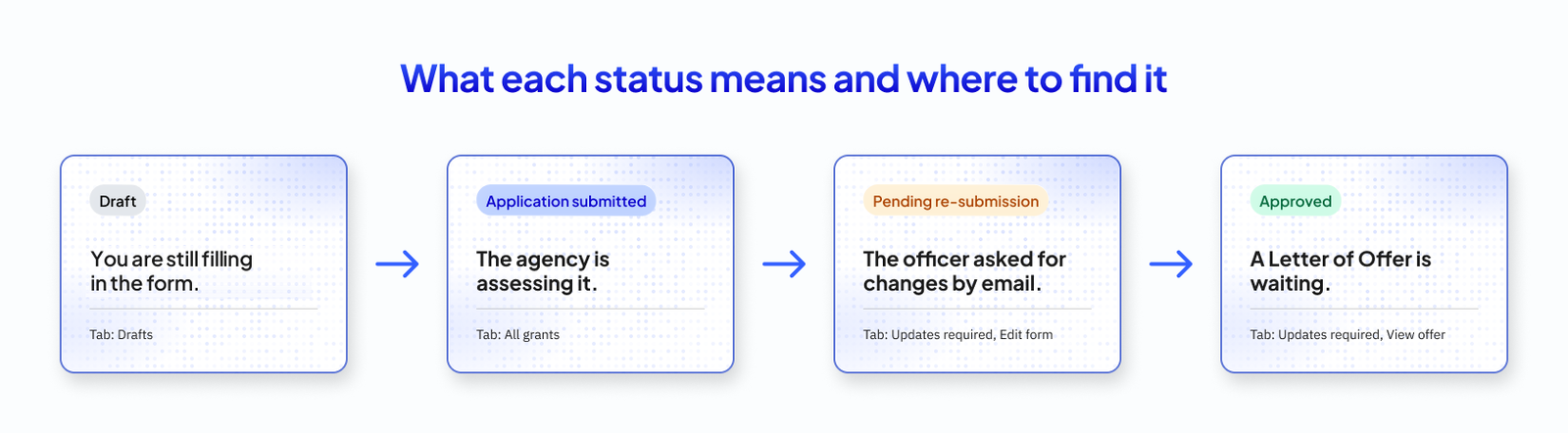
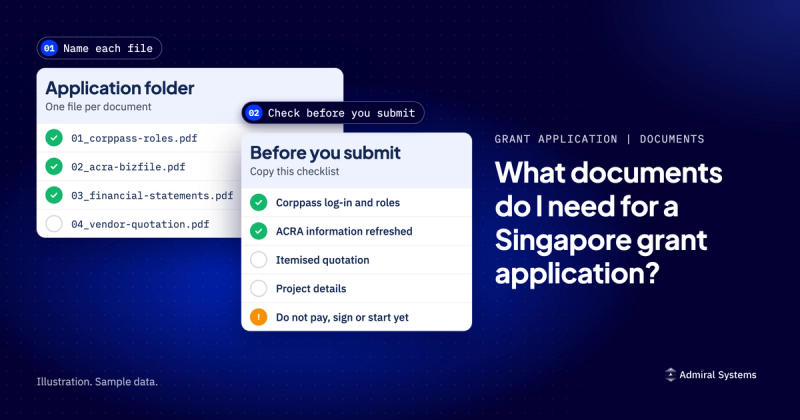
Before you submit, check the documents your grant asks for in our grant application documents checklist.
If you have many submissions to move at once, the Updates required tab has a Bulk action button, which the BGP 2.0 FAQ calls Bulk Transit. It takes up to 50 submissions at a time, and every submission you select must have "the same lifecycle, form version and state code". You follow its progress in My recent actions.
Only the company's BGP Acceptor can accept a Letter of Offer. Viewers and Preparers cannot.
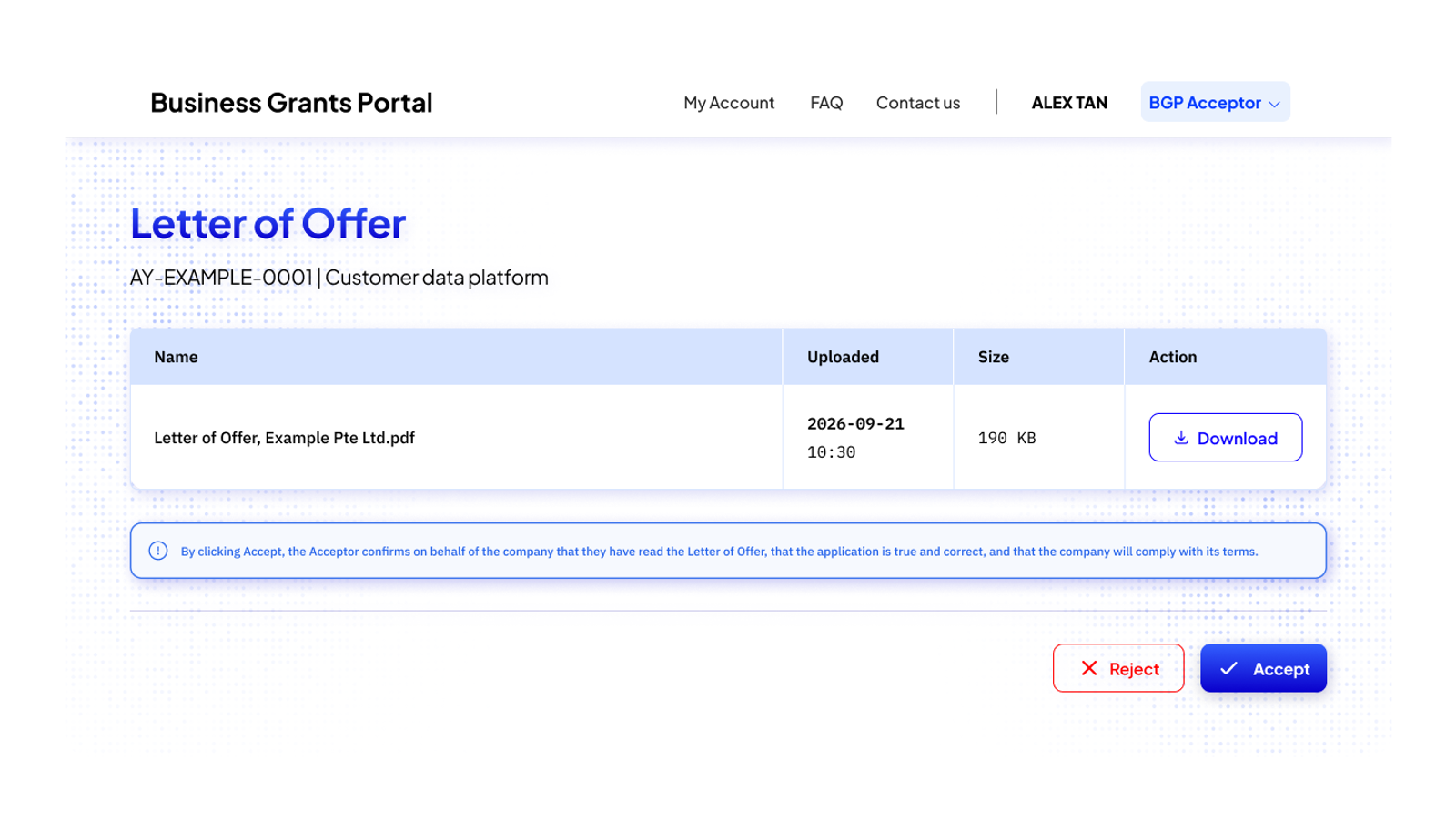
On the BGP 2.0 log-in:
On the BGP log-in, the steps differ: the Business Grants Portal FAQ on GoBusiness says to open the "Letters And Documents" section to find the Letter of Offer.
If the MD or CEO holds a Preparer role, the Corppass administrator changes it to Acceptor under the ApplyGov e-Service. If the person who should accept has left the company, the administrator assigns the Acceptor role to their replacement. Remember to update the grant agency and the Accounting and Corporate Regulatory Authority (ACRA), the company registry, about the change in management.
Our guide to accepting a Letter of Offer covers what you are agreeing to.
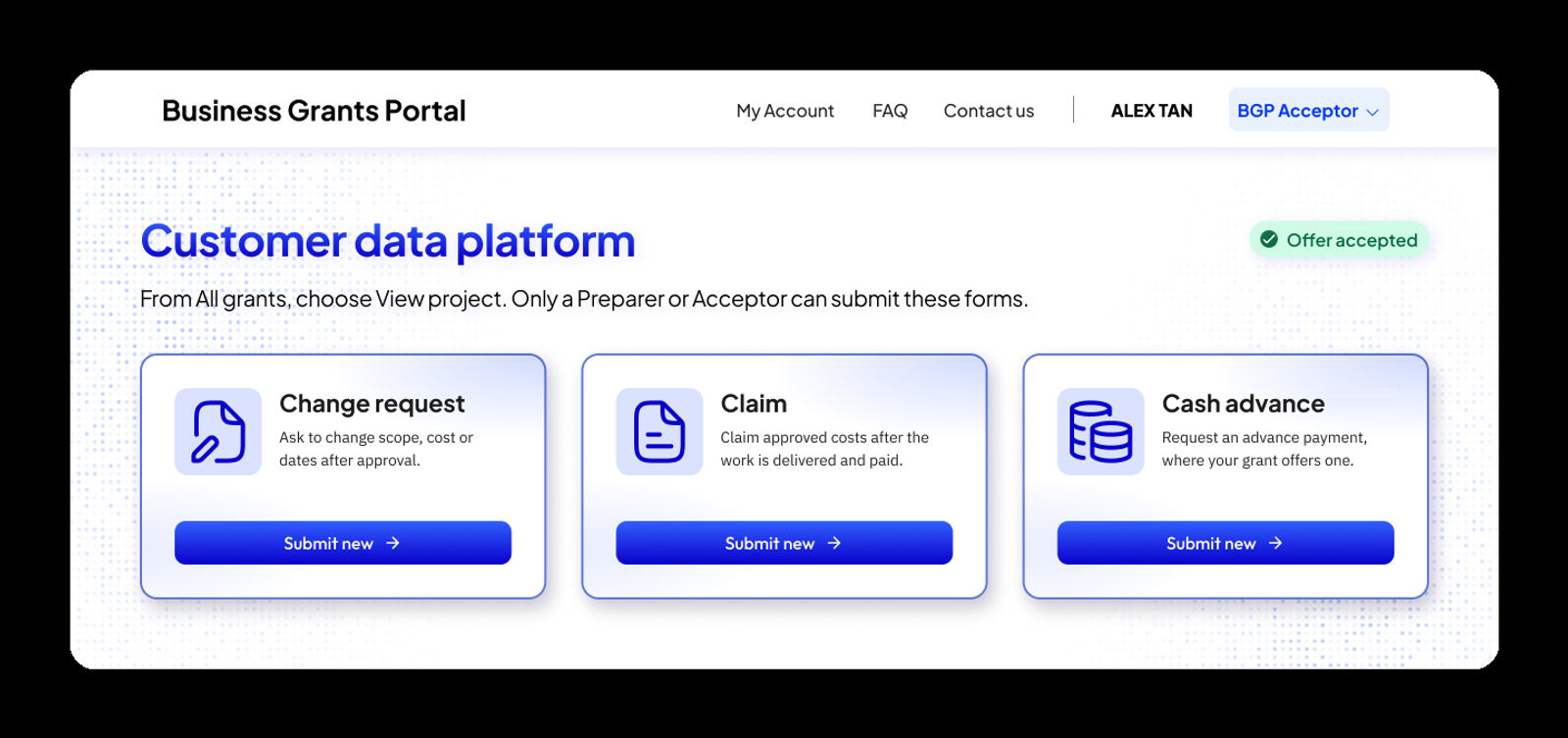
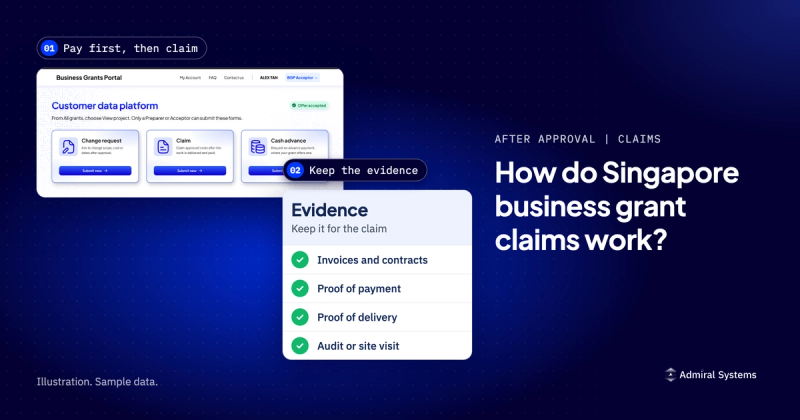
From the All grants tab, open the approved grant with View project. Choose Submit new next to the form you need:
Each grant limits what a change request can cover, so check your Letter of Offer. For example, as of October 2026, Enterprise Singapore's EDGE Grant FAQ allows a change request only for the project end date and the claim due date.
Only a Preparer or an Acceptor can create and submit these forms.
Our guide to grant claims and reimbursement explains the claim step.
Not sure yet what your project is? The Grant Project Planner turns a few short answers into a draft project brief in about three minutes. It is free, with no documents or login.
Everything in this guide is work your own company does. Your staff hold the roles, and your Managing Director, CEO or equivalent accepts the Letter of Offer. The portal steps are the easy part. The harder part is the project: what you will deliver, by when, at what cost and with what result.
Plan it free first. Our Grant Project Planner asks a few short questions about your business and the bottleneck you want to fix, then gives you a draft project brief on screen in about three minutes. No documents, no login.
Want us alongside you? If the project spans several systems or vendors, or you would rather not run the project alone, tell us about it and check if we're a fit. We look up your company before we reply, and we reply within one working day, Singapore time. If you know something is wrong, but not yet what to fix, a Blueprint is a paid diagnosis that ends with a costed plan.
Disclaimer. Admiral Systems is not associated with any Singapore government agency. This guide reflects our understanding of the official BGP 2.0 FAQ and the other official pages linked here, as of 12 October 2026, and is not professional, legal or financial advice. Grant outcomes are decided solely by the agency that runs each grant. For the official answers, see the BGP 2.0 FAQ.
Find the right engagement fit for your current need(s)
Go to Market
Consulting
Validate ideas with market research, strategic planning and prototyping. Ideal for exploring new concepts.
Martech
Implementation
Launch Low-code MVP or Custom Interactive websites with user-focused design. Perfect for quick market entry.
Growth & Marketing
Campaign Experimentation
Boost growth with scalable systems and marketing automation. Suited for advanced analytics and more.
For teams with a bigger appetite for growth
Martech
Transformation
Transform with system modernization and integration. Best for comprehensive digital change.
Martech
Growth Operations
Optimize performance and reduce technical debt. Ideal for efficiency and fine-tuning.

Enterprise Singapore sets the rules and can change them. In general, you need all three of these before your project is assessed.

The grant is run by Enterprise Singapore for companies registered and operating here.

You need to have sufficient funds available to pay for the entire project upfront.

You need a defined project with real deliverables, dates, and outcomes.














We can't wait to hear all about your game-changing ideas. Spill the tea!

Be the first to know on further updates on Growth contents for your organisation, don't miss out on our sneak peaks and exclusive community contents!